
Locating Declined Transactions
More details regarding a specific declined transaction can be found by going to TPP Pay > TPP Pay Pulse Merchant Portal > Transaction Search
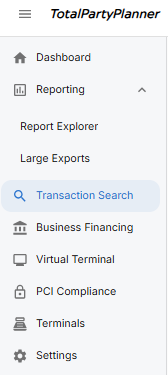
Once in the TPP Pay Pulse Merchant Portal, the Transaction Search is on the toolbar on the left side.
In the Date Range fields, input the date the declined payment was made and set the Status to Failed.
Next, select Search at the bottom of the filters

This will pull the data of all failed transactions within the set Date Range.
Click on the blue Transaction ID number to open the Transaction Details window and find more information as to why the transaction declined.

Under the Transaction Details window, the Status and Error Message sections will offer more details as to why the transaction has been declined.
Examples of Declined Transactions
This particular transaction was declined due to AVS settings: When a credit card transaction is declined due to AVS (Address Verification System) settings, it means there’s a mismatch between the address information provided and the information on file with the card issuer. This is a security measure to prevent unauthorized transactions.


Standard recommendation is to reach back out to your client and have them reach out to their credit card’s issuing bank that the billing address information they are submitting upon payment matches what their bank has on file for that card.
Unfortunately, this is not something that TPP can override and can only be approved by the issuing bank.
Transaction Response Codes
Click Here for a list of Transaction Response Codes